Features

Everything works toward where you’re going.

Start with the end in mind, then let each layer, from milestones to weeks to days, ladder back to it. An AI Coach keeps the whole system moving with you. It’s simple by design, with only a few things to fill in each week and each day, so planning never becomes another job.

Vision Board

Start with the end in mind.

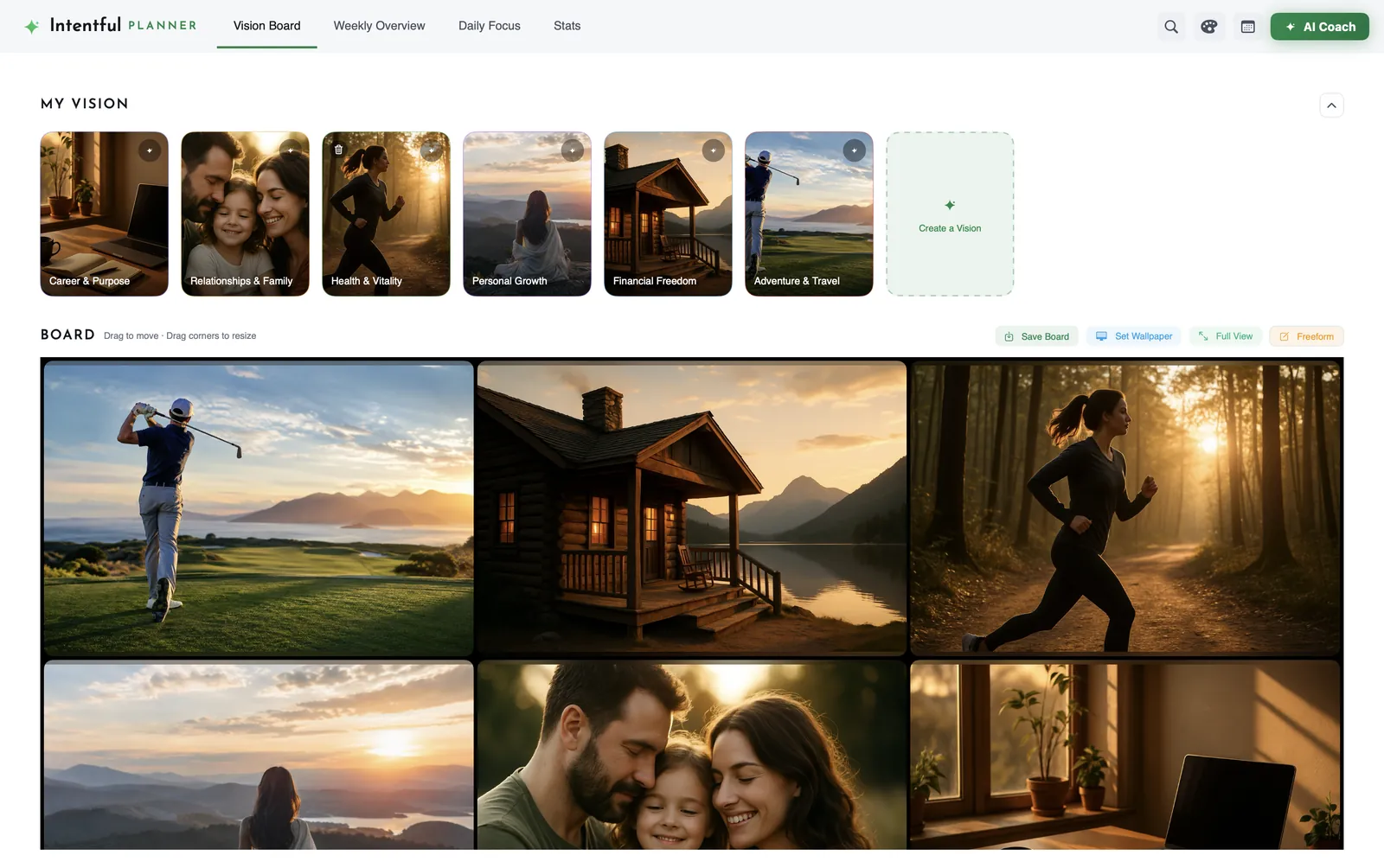
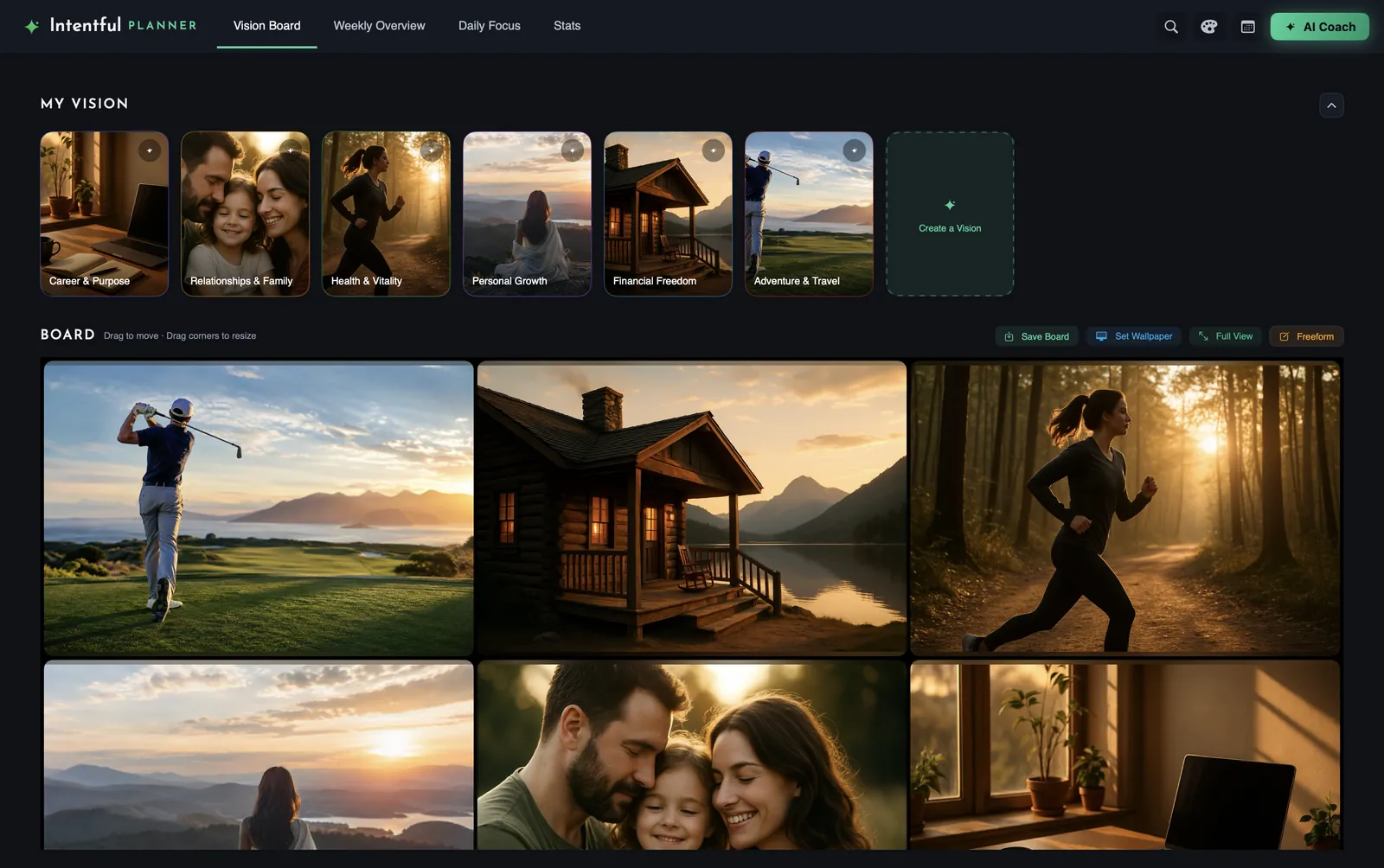
Intentful opens here on purpose. Generate imagery for a goal with AI across seven life categories, arrange it your way, then ask the coach to break each vision into a milestone plan. Your vision isn’t a poster on the wall. It’s the starting point that everything else ladders back to.

  • Images generated by AI in seven life categories
  • A freeform canvas on Mac and a grid you can reorder on iPhone & iPad
  • “Generate Plan” turns a vision into 3 to 5 milestones
Vision Board
Intentful Planner Vision Board with vision cards and the image board Intentful Planner Vision Board with vision cards and the image board
Weekly Overview

Set the intention. Close the loop.

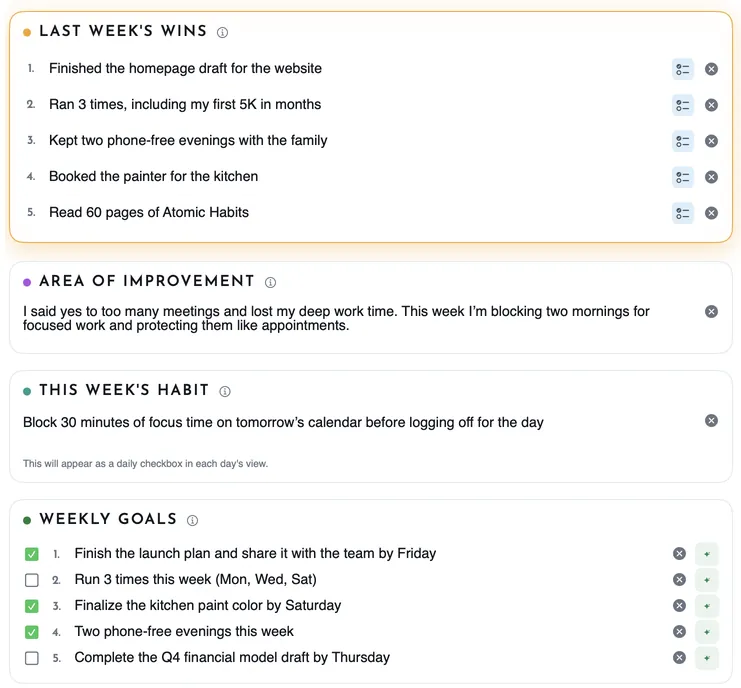
Each week opens with goals, a focus habit, and what you’re looking forward to, and ends with wins and one honest area to improve. It’s a full cycle of plan, do, check and adjust, so you learn from each week instead of just living it.

  • Three weekly goals plus a tracked habit
  • Last Week’s Wins surfaced before any critique
  • One “area of improvement” per week, in your words
  • Weekly tasks go to Apple Reminders, and checking one off in either place completes it in both
Weekly Overview
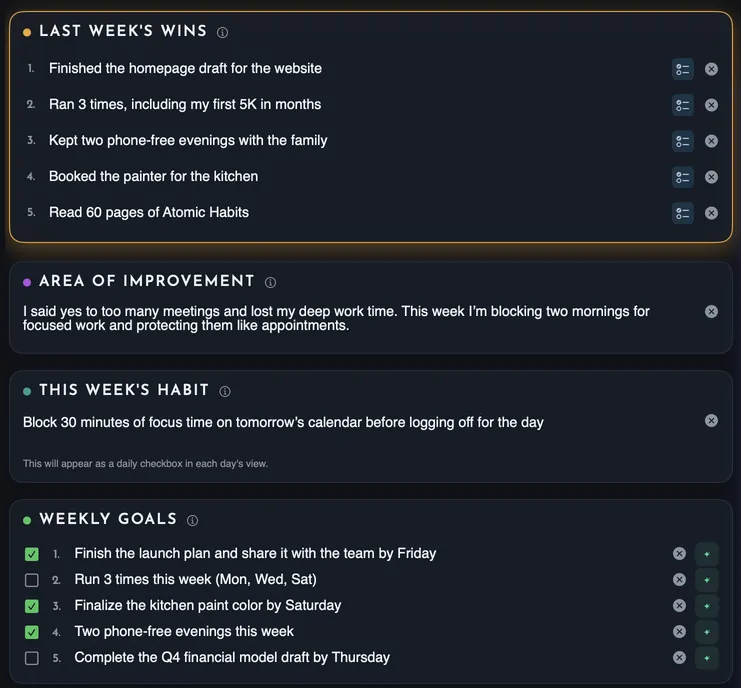
Weekly Overview with last week’s wins, area of improvement, this week’s habit and weekly goals Weekly Overview with last week’s wins, area of improvement, this week’s habit and weekly goals
Daily Focus

Protect the morning. Run the day.

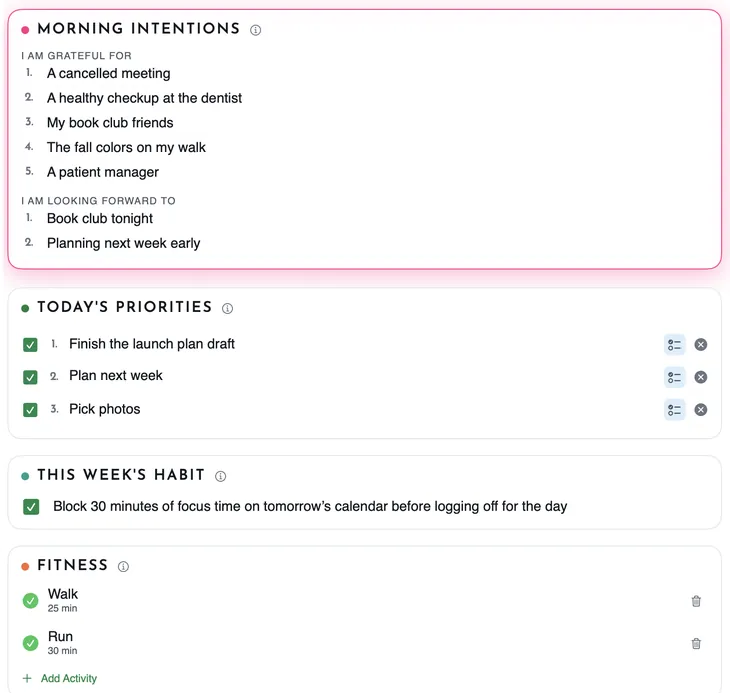
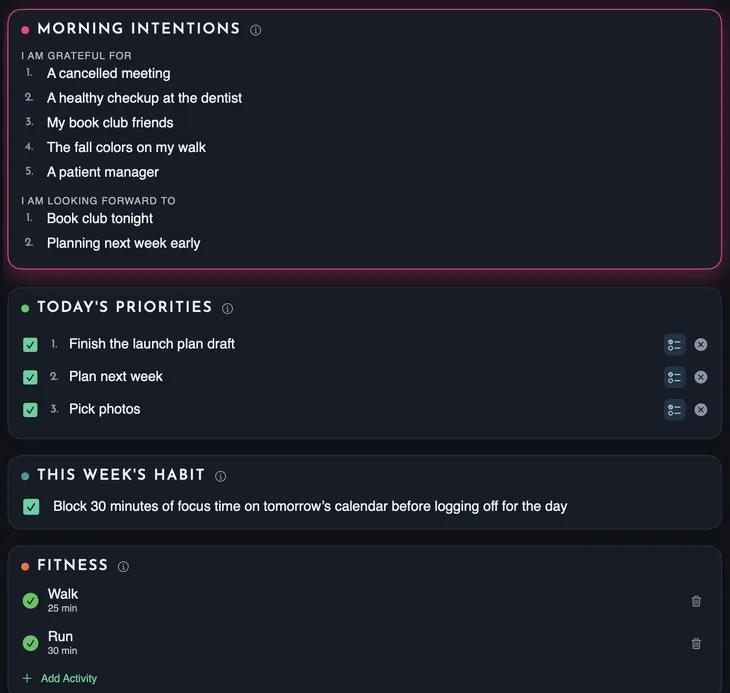
The daily view puts your priorities above the schedule, on purpose. Intention comes before reaction. Set morning intentions, note gratitude and what you’re looking forward to, keep a journal, and check off this week’s habit. Incomplete tasks roll forward until they’re done, mirroring Reminders.

  • Intentions, gratitude, priorities, schedule, journal, wins
  • Drag to reschedule right on the timeline
  • Unfinished tasks carry forward automatically
  • Priorities and daily tasks go to Apple Reminders, due that day
Daily Focus
Daily Focus with morning intentions and gratitude highlighted, plus today’s priorities, this week’s habit and fitness Daily Focus with morning intentions and gratitude highlighted, plus today’s priorities, this week’s habit and fitness
Projects

Persistent work that spans more than a week.

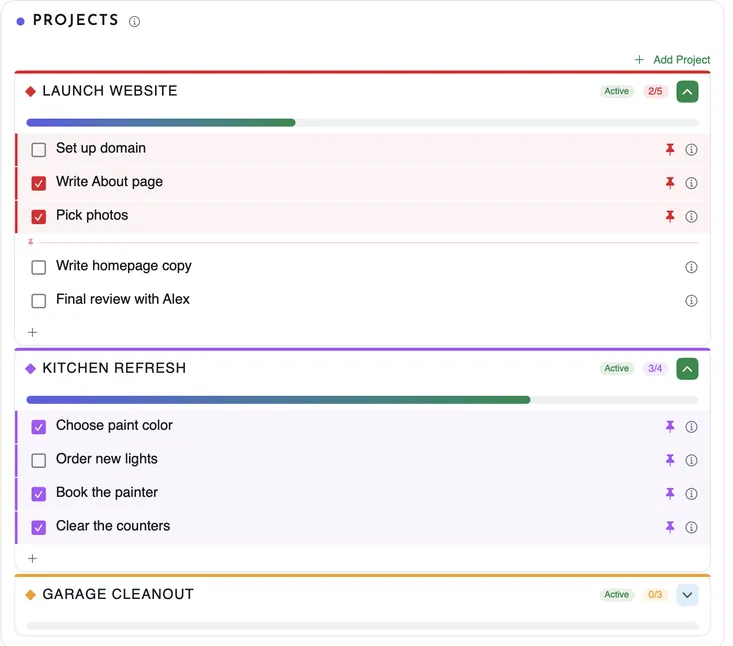
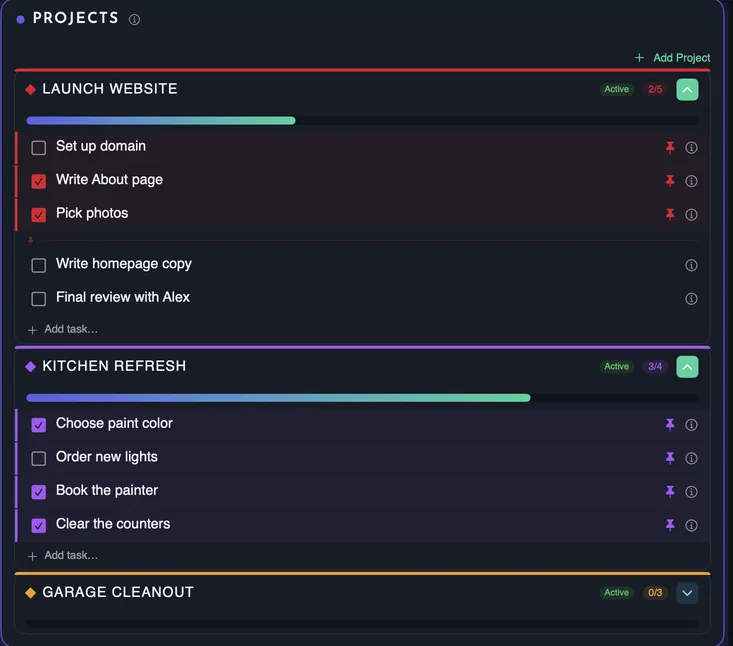
Real work doesn’t fit in seven days, so projects stay with you instead of belonging to a single week. A visual project board keeps active work in view with a status for each project, and a gentle suggestion to keep no more than four projects active draws on Kaizen’s discipline of limiting work in progress. (A full Kanban board with columns you can drag between, and an Eisenhower matrix, are on the roadmap.)

  • Projects and tasks that carry across weeks
  • A visual board where you pin each week’s focus
  • Status badges for active, paused, complete and archived, plus progress bars and a label for the week each project started
  • Schedule a project task into your week or a day and it goes to Apple Reminders, linked to the project
Projects
Projects card with Launch Website, Kitchen Refresh and Garage Cleanout and their tasks Projects card with Launch Website, Kitchen Refresh and Garage Cleanout and their tasks
AI Coach

A coach that builds the plan with you.

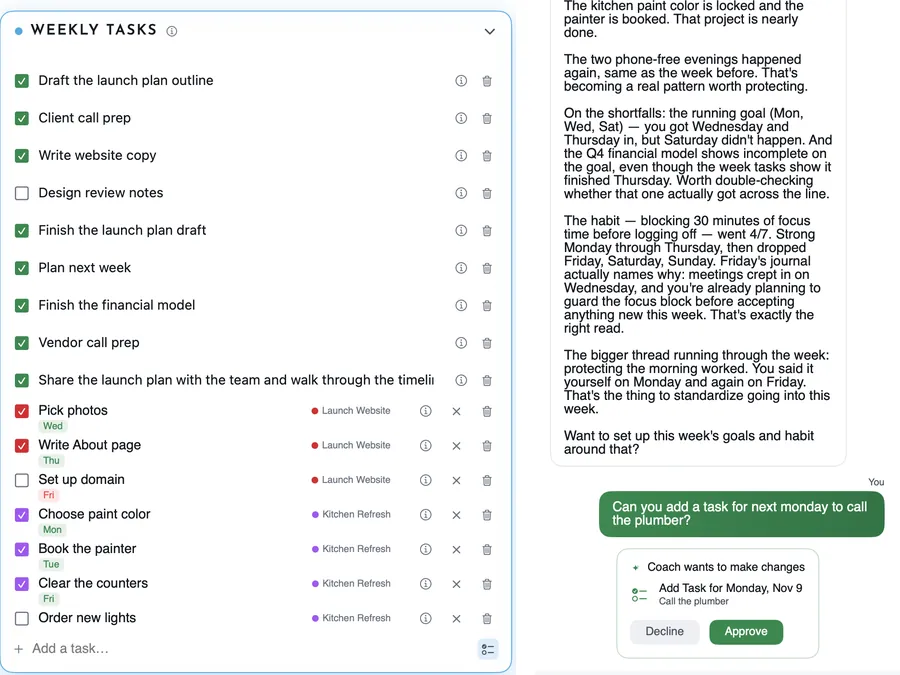
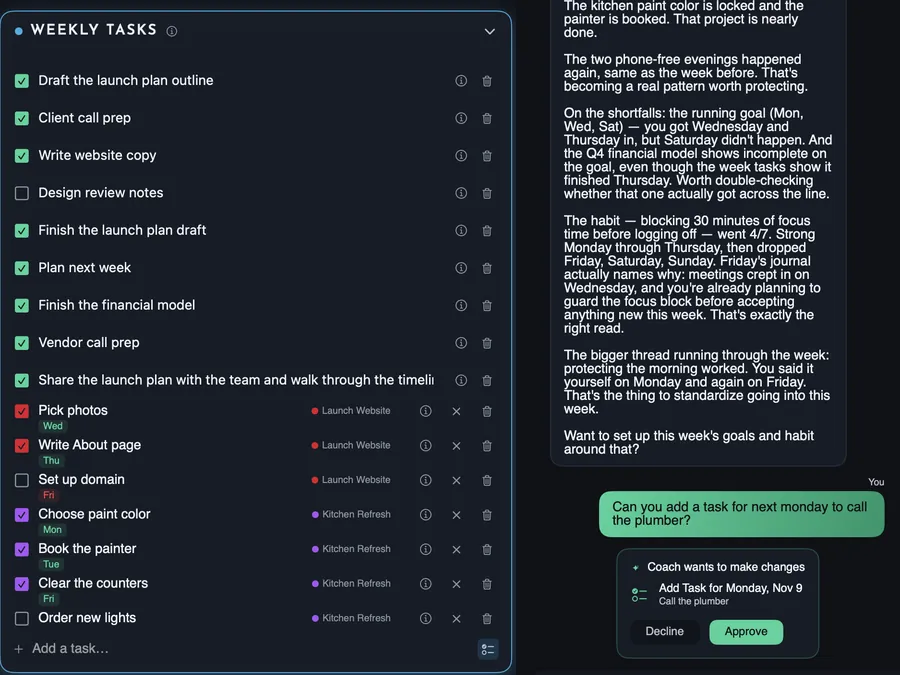
Ask in plain language, like “help me work toward my vision this week,” and the agentic coach suggests concrete changes across your planner, including projects, tasks, weekly habits and milestones. It knows the method behind every section, never changes anything until you approve it, and adapts the plan as life changes. Powered by Claude Sonnet, with nothing to set up.

  • Reads and writes your data via tool calling
  • “Plan My Day” suggests today’s priorities from your goals and projects
  • You approve or decline every change, so you stay in control
AI Coach
AI Coach reviewing the week and proposing a task for approval AI Coach reviewing the week and proposing a task for approval
AI Project Import

Turn a document into a plan.

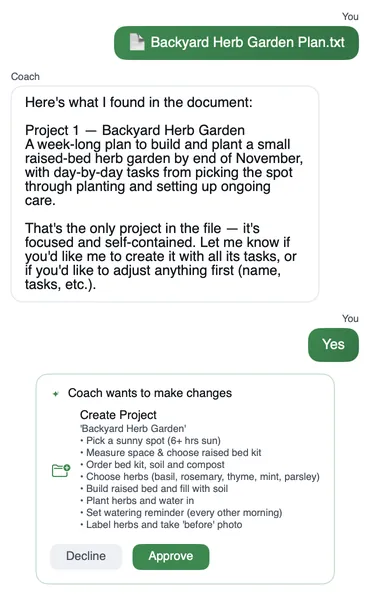
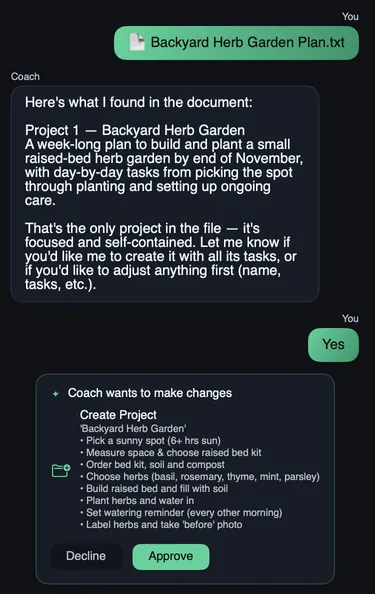
Upload a brief, spec or meeting summary as a PDF, Word, Excel or text file, and the coach reads it and proposes a full project with tasks, ready for you to approve. Spend your energy on the work, not on transcribing it into a planner.

  • Import PDF, DOCX, XLSX, or plain text
  • Coach extracts a structured project + tasks
  • You review and approve before anything is created
AI Project Import
AI Coach importing a document and proposing a project with its tasks for approval AI Coach importing a document and proposing a project with its tasks for approval
Sync

Your whole system, on every device.

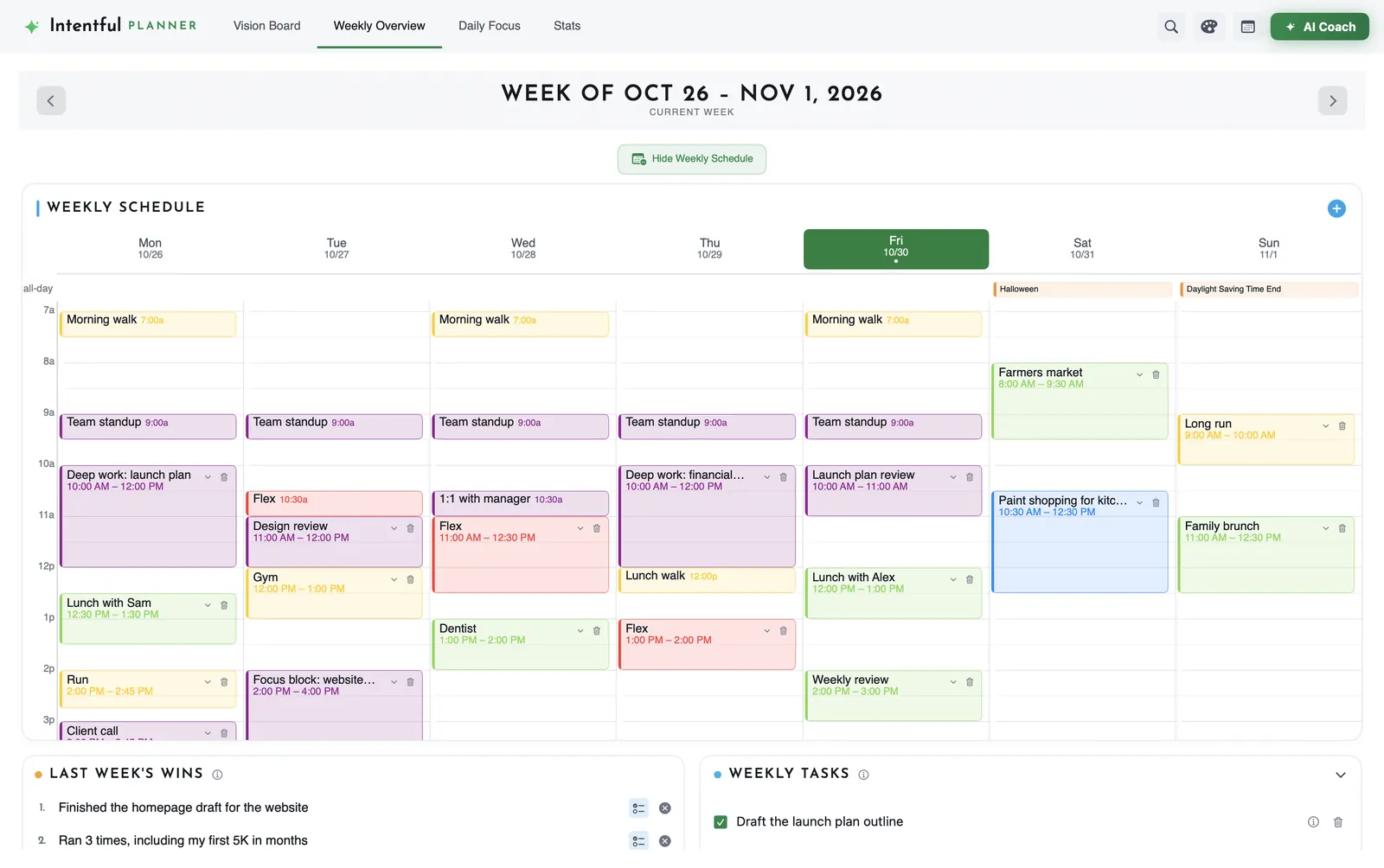
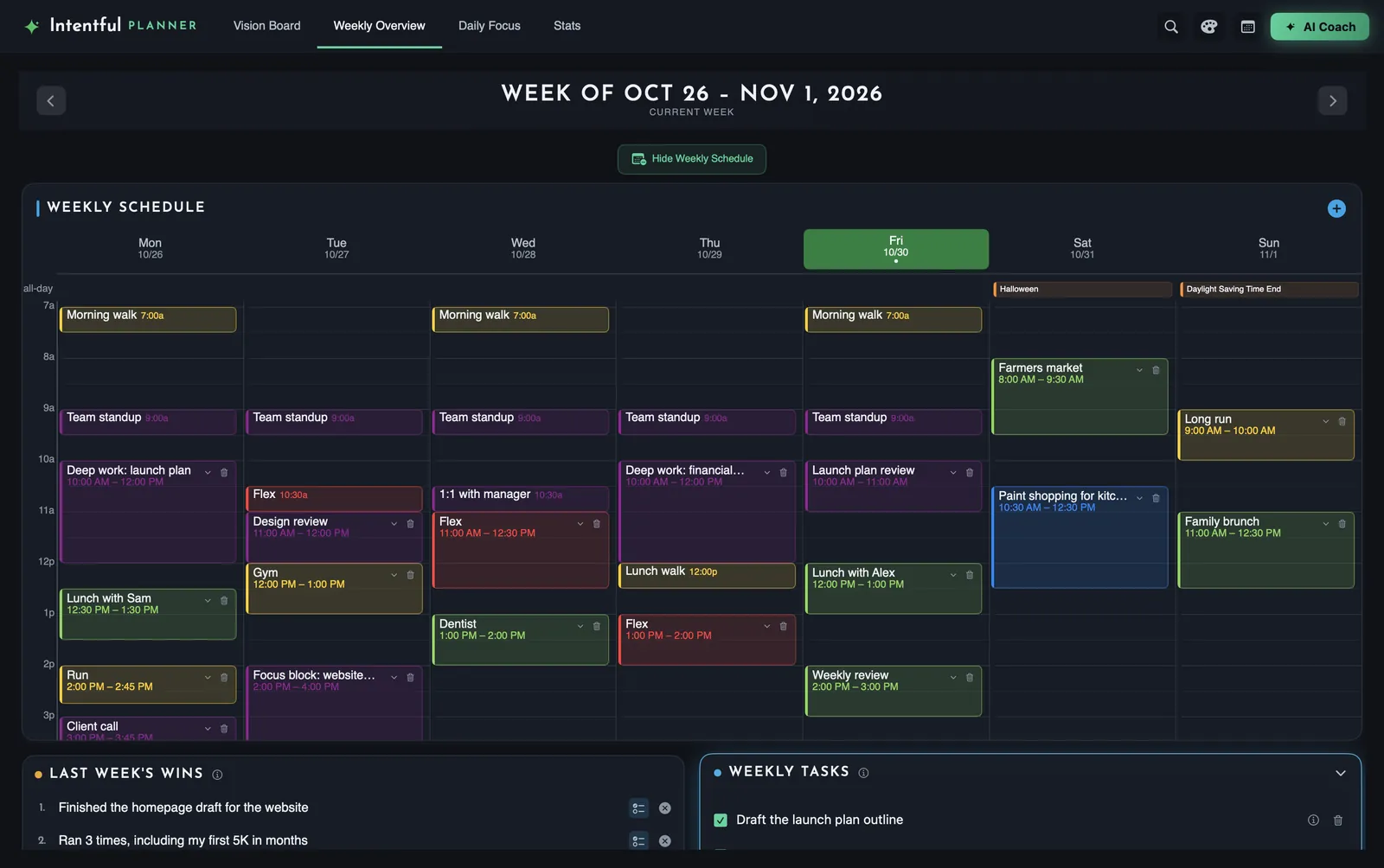
Intentful brings the Apple tools you already use, Calendar, Reminders, and iCloud, together in one intention based planner. iCloud keeps your plan identical across Mac, iPad, and iPhone through your own private iCloud account. There’s no separate account to create, no ads, and nothing is stored by us. It also syncs both ways with Apple Calendar and Reminders. Complete a task on your phone and it’s done in your plan.

  • iCloud sync across all your devices (included for everyone)
  • Bidirectional Apple Calendar & Reminders
  • Choose which Reminders list new tasks land in
Sync
Weekly Schedule showing Apple Calendar events across the week Weekly Schedule showing Apple Calendar events across the week

Highlights

The details that make it feel like yours.

Stats & streaks

Charts and sparklines turn your history into a feedback loop you can read at a glance.

The detail →

Stats & streaks

Goal completion rate, habit streaks, how often you reflect and weekly momentum. It’s the measurable layer, over any span you choose.

← Back

Global search

Find any task, event or project instantly and jump straight to where it lives.

The detail →

Global search

One search reaches tasks, events, projects and notes. Press Return to land on the exact day it belongs to.

← Back

Themes & typography

A calm place to think. Tune the look until it feels like yours.

The detail →

Themes & typography

Light and dark, plus three font pairings from elegant script to clean modern. Your choice follows you across every device.

← Back

Undo everywhere

A safety net across the schedule, vision board and projects, so you can experiment freely.

The detail →

Undo everywhere

Undo as many steps as you need, on Mac and iPhone alike. Nothing you try is permanent, so you can rearrange without fear of breaking anything.

← Back

Import & export

Your data is portable. That was part of the design from day one, not an afterthought.

The detail →

Import & export

Full JSON import and export. Move it, back it up or leave with it. It’s yours, and it always was.

← Back

Guidance built in

Every section carries a small . Tap it for a short explanation in plain words, right where you are.

The detail →

Guidance built in

No manual to read. Each part of the app explains what it’s for and how it fits the method, so you learn Intentful as you use it.

← Back

Hover or tap any card for the detail behind it.

Pricing

The planner is free. AI is optional.

What’s inside

The full planner is free to use. Add the AI Coach and AI images with a free 14 day trial, then founding pricing of $2.99/month or $19.99/year. Keep that price for as long as your subscription stays active.

  • Vision Board with AI imagery across seven life categories
  • Vision Milestones that turn each vision into 3 to 5 steps
  • A Weekly Overview with goals, a habit, wins and one improvement
  • Daily Focus with intentions, gratitude, priorities, a journal and wins
  • Projects that carry across weeks, with a visual status board
  • Stats, streaks, and global search
  • Two themes and three font pairings
  • An agentic AI Coach with no setup and no API key needed
  • Vision Board image generation
  • AI Project Import (PDF / DOCX / XLSX / text)
  • Apple Calendar & Reminders sync both ways
  • iCloud sync across your devices
  • Import / export (JSON) and undo everywhere
  • Subscribers can use their own Anthropic or OpenAI API key, if they prefer

AI features: 14 days free, then $2.99/month or $19.99/year at founding prices. Annual saves about 44%. iCloud sync keeps your data on your own devices.

Try it on your devices.

Now on the App Store for Mac, iPad, and iPhone.

Free planner · AI from $2.99/mo or $19.99/yr, 14 days free